
You can trust Cyclingnews Our experts spend countless hours testing cycling tech and will always share honest, unbiased advice to help you choose. Find out more about how we test.
Like almost every performance oriented cyclist it’s hard for me to imagine riding without a bike computer, despite an extended period where I tried to see if it would change my enjoyment if I went without. I’ve tested many of them in my time here, and in my riding career before I joined Cyclingnews, from the wonderfully old school Cateye magnet odometer days, through the classic Garmin Edge 500 and 520 models, to the modern Hammerhead Karoo range, and every one of Wahoo’s latest cohort (Elemnt Bolt, Elemnt Roam, and the massive and quite dumb Elemnt Ace).
Standalone bike computer reviews are perfectly good resources, but ultimately the market for them is small, and dominated by two players: Wahoo and Garmin. This means that if you’re looking to buy a mid range bike computer there’s a very high chance you’re deliberating between the Wahoo Elemnt Roam 3 and the Garmin Edge 850. With this in mind, I’ve put several months of testing in using both models to try and make sure you get the best bang for your buck and spend your hard-earned cash in the right place.
Specs
| Header Cell - Column 0 | Garmin Edge 850 |
Wahoo Elemnt Roam 3 |
|---|---|---|
Size |
55 x 92 x 17mm |
53 x 96 x 24mm |
Weight (measured) |
113.1g/3.99oz |
109.6g/3.87oz |
Screen size |
2.7" |
2.8" |
Screen resolution |
420 x 600 pixels |
320 x 480 pixels |
RRP |
£469.99 / $599.99 |
£399.99 / $464.99 |
Internal memory |
64GB |
64GB |
Touchscreen |
Yes |
Yes |
Waterproof rating |
IPX7 |
IPX7 |
Battery life (claimed) |
36hrs |
25hrs |
Charge whilst recording |
Yes |
Yes |
Incident detection |
Yes |
No |
Bell |
Yes |
Yes |
Strava live segments |
Yes |
Yes |
Wireless payment |
Yes |
No |
Google/Apple map sharing |
No |
Yes (but I couldn't get it to work) |
Live track |
Yes |
Yes |
Screen
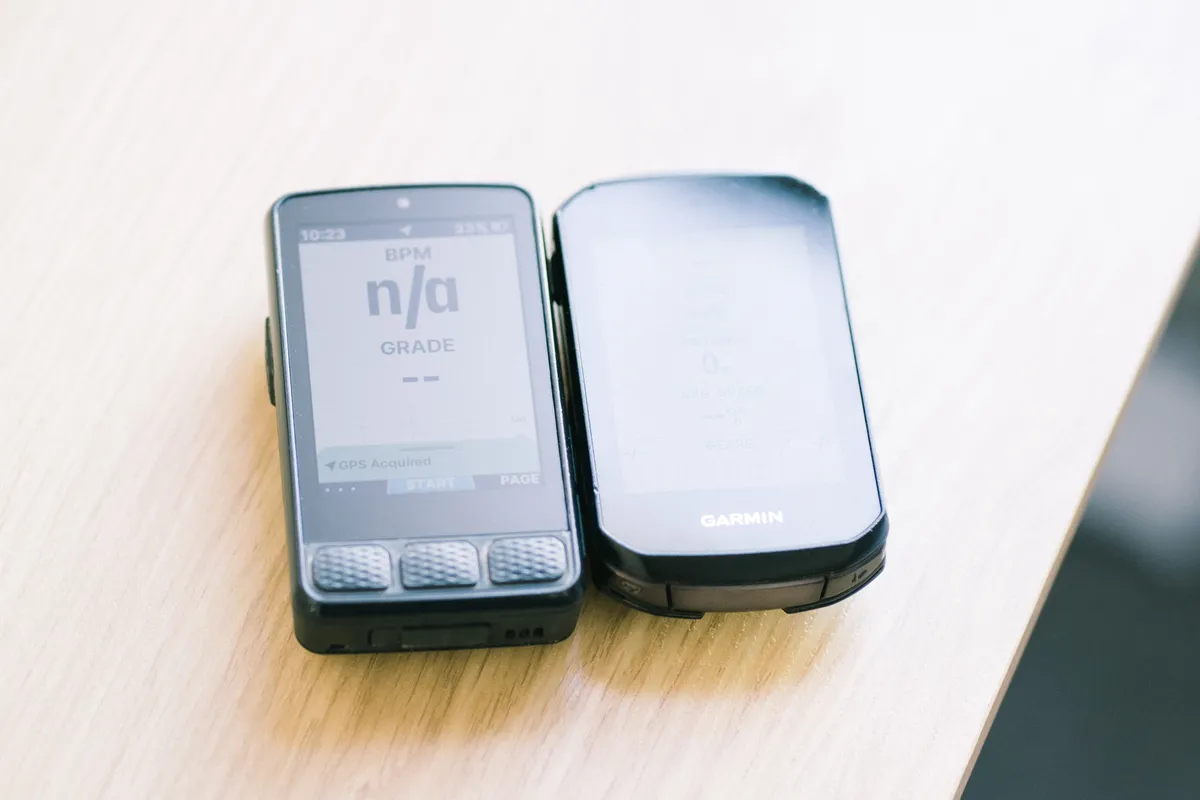


While you probably could watch Netflix quite happily on the massive Elemnt Ace if it were able to run other apps, bike computer screens are not TV screens and bigger and higher resolution doesn’t actually matter as much as clear layout and easy visuals.
By the numbers the Wahoo screen is a smidge larger, but the Garmin is higher resolution. Having run both of these for quite some time I can tell you that in terms of screen size and resolution the two are essentially indistinguishable from an output perspective.
What I can say though, but an actual noticeable point of difference is that I much prefer the matte, anti-glare screen coating on the Wahoo over the flat, reflective glass on the Garmin. Only occasionally is the difference felt, but it makes the Wahoo screen easier to read in bright, low sun.
Navigation

View Original

View Original

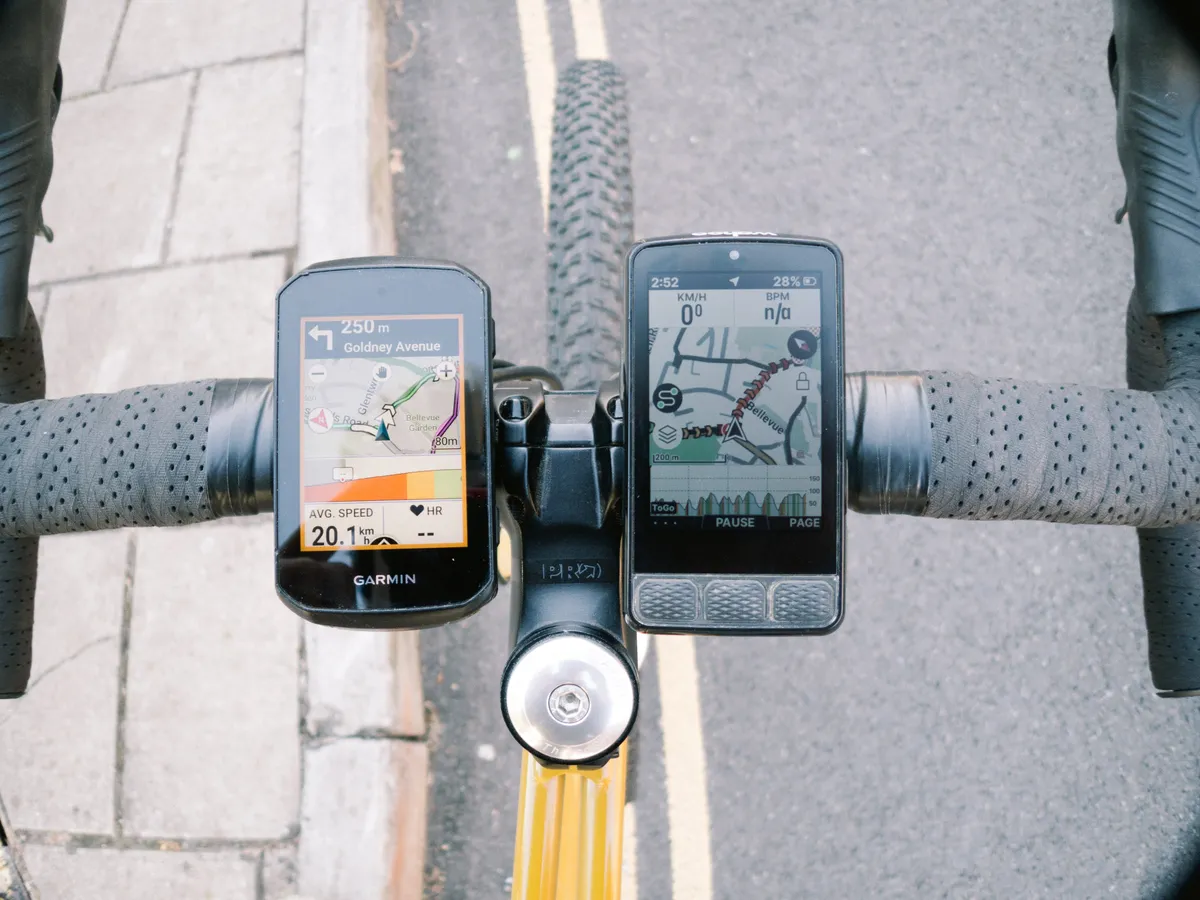
While many of you may be blessed with a decent sense of direction, and use your bike computer primarily for seeing your watts/heart rate/speed or just using it as a clock like a lunatic, navigation is a big consideration for me because I get lost very easily.
I’m happy to report that I never really went wrong with either model, but I found the navigation on the Roam easier to follow than on the 850. While the screen is technically lower resolution the base map is far easier to see thanks to being slightly more simple. The differences between major and minor roads are clearer, and the route trace is also clearer too.
The latest race content, interviews, features, reviews and expert buying guides, direct to your inbox!
I like to have the elevation profile on the base of my map, and on the Wahoo that is also easier to read, and scalable to view the climbs in the context of the whole route or just the upcoming segment, and the grade of the road is also colour coded on the route trace so you can see where steep sections are even if you only have the map screen without the gradient or any data fields. Pinching and zooming around the map using the touchscreen is also far easier on the Wahoo and a lot more intuitive. You can do this on the Garmin too, but the business of the base maps makes it a little more confusing.
In the Garmin’s favour though is speed of connection. On firing up the 850 it was rarely more than a few seconds until it connected to a satellite and I was ready to ride, whereas the Wahoo would often take several minutes to connect. This is fine in August when it’s warm and dry, but in midwinter it’s tortuous and often frustrating and on more than one commute I just set off on the assumption that it’d find a satellite at some point, somewhere, eventually.
Also in the Garmin's favour is it's rerouting characteristics. Both Wahoo and Garmin will get you back on track, but with the Wahoo I found it quite frustrating that of you go off course the original route trace disappears until you've found it again, so you have to put your trust entirely in the blue chevrons to guide you back on track.
Features


View Original
View Original
View Original
View Original

In terms of key features, both computers hit the main staples they need to. Both have live track so I can send my partner a follow-along link to where I am in my ride, now mandated after texting her “I don’t feel very well, I’ve had to have a lie down” 50km from home before putting my phone away for the next few hours on silent. As far as I can tell, both of these work well and I’ve had no issues in setting them up.
Both are appropriately waterproof, have touchscreens, and offer a bell via a little loudspeaker. Garmin’s is hamstrung by requiring a couple of presses to activate it, whereas Wahoo’s doesn’t work on the map screen for some reason, so neither are without fault or, to be honest, are a genuine substitute for an actual bell, loud freehub, squeaky set of brakes, or a decent set of lungs.
I found the touchscreen to be a little more responsive on the Wahoo, but in terms of features the Garmin maybe just has the edge thanks to Garmin Pay, meaning you can use your bike computer as a wireless payment device for those rides where you’ve forgotten your wallet and your phone (providing you have Apple or Android Pay setup on your handset). It's worth mentioning Garmin Pay isn't directly supported by all UK banks, but you can use the Curve app as a workaround to link your credit card, which we discuss in more detail in our Garmin Edge 1050 review.
Both offer Strava Live Segments, though again I found these a little easier to see and understand on the Wahoo. The Garmin will also offer live weather updates and GroupRide features that do sort of require everyone you ride with to also be using a Garmin. There are myriad other training features too, as well as MTB-specific things like airtime, and ‘Grit’ and ‘Flow’ metrics that I can’t go into here, but in short there just seems to be more of a wealth of bells and whistles in the Garmin system. Whether they’re individually useful to you will to some degree vary depending on your use case.
Finally, the Wahoo claims to offer Google and Apple Map integration, allowing you to send routes from these mapping apps directly to your head unit. This sounds like an incredibly useful feature, but I never managed to get it to work, coming up with an ‘Oops’ error message at every attempt.
User interface and the apps


View Original
View Original
View Original

View Original
View Original
View Original
View Original
View Original
Which one is best for you in this regard will somewhat depend on whether you are already baked into an ecosystem already. For a lot of you, I imagine you’re coming to this having already owned a smaller, previous generation Garmin or Wahoo. If this is the case you’re probably already used to the foibles of each individual system, though if you are coming from an old Bolt the new Wahoo computers run on the Wahoo app rather than the old Elemnt app.
What I’m trying to say is once you’re used to either system, there’s little to choose from. The Wahoo app usability is easier and more intuitive in my opinion, and the fact it auto-populates your computer with your Strava routes (and those from other linked apps) is a lot easier than having to manually push a route to the head unit from a routing sub menu hidden in a sub menu within the bowels of the Garmin app.
The flip side of this is that I think the Garmin app, by nature of just having been around a lot longer, is better for actually training. There are more features, especially for multisport use, although Wahoo is making great strides in its own app to catch up. Basically, if you already own a Garmin watch, which is pretty likely if you also do running/kayaking/skiing/climbing/paddleboard/basically any other trackable sport, then you’re probably better off sticking with Garmin, even though I found the Wahoo system easier to navigate and use.
The user interface of the devices themselves somewhat mirrors the apps. The Wahoo is easier to use out the box from fresh, easier to set up and pair. The battery indicator for all of your connected peripherals (lights, power meter, heart rate, radar) is easier to see at a glance too. Both computers now benefit from having ride profiles, whereby you can tailor your data screens to different kinds of riding (indoor, groupride, solo blast, gentle pootle, just a clock etc.), but that’s only because it took Wahoo three generations to catch up to what Garmin has been doing forever. I also found customising the Wahoo easier on the fly, though the level of customisation you can do on individual data screens is greater on the Garmin, but unless you’re extremely picky with what you want on your screen, then Wahoo has Garmin beat.
Data screens


View Original
View Original

View Original

View Original

This is the actual meat and potatoes of the review, and unless you’re spending an inordinate amount of time messing about with menus and changing colour schemes.
On the Garmin, you have more freedom to customise what you see on screen, but limited freedom to change things on the fly. You build your workout screen (or screens, as you can add multiple), then it is set and you can only cycle through your workout data (average speed, heart rate, clock, power all on one screen), then the map page, climbing, music controls and any other additional screens you may want. Some quite novel graphic metrics effectively turn your head unit into a speedometer dial for your heart or your power, and having played with some of these, they work best as standalone pages, or at least with limited noise around them.
In contrast the Wahoo still operates on a system of a single workout data screen in which you list your metrics in priority order, and using the side buttons you can zoom in and out, making lesser-wanted metrics like clock or power disappear off the bottom of the page, or reappear when you need them. It’s a simpler system, and you can still have separate workout templates, meaning you’re not forever reprioritising things in the app as was the case on the old Elemnt system, and personally I prefer it. When the chips are down and I want to hone in on just my heart rate for an effort I did enjoy the ease of make important number go big.
For true data junkies the Garmin is probably a better bet, but I will say that having tried to make a very data heavy screen useable there’s only so much you can realistically comprehend while riding hard. There’s little point having a crowded workout screen if you can’t make head nor tail of things, and for that the Wahoo has a party trick with colour zones for key metrics; basically you can have your heart rate or power as a number, but the data block on screen will also change colour to reflect the zone you’re working in, which is a really useful feature.
Climbing
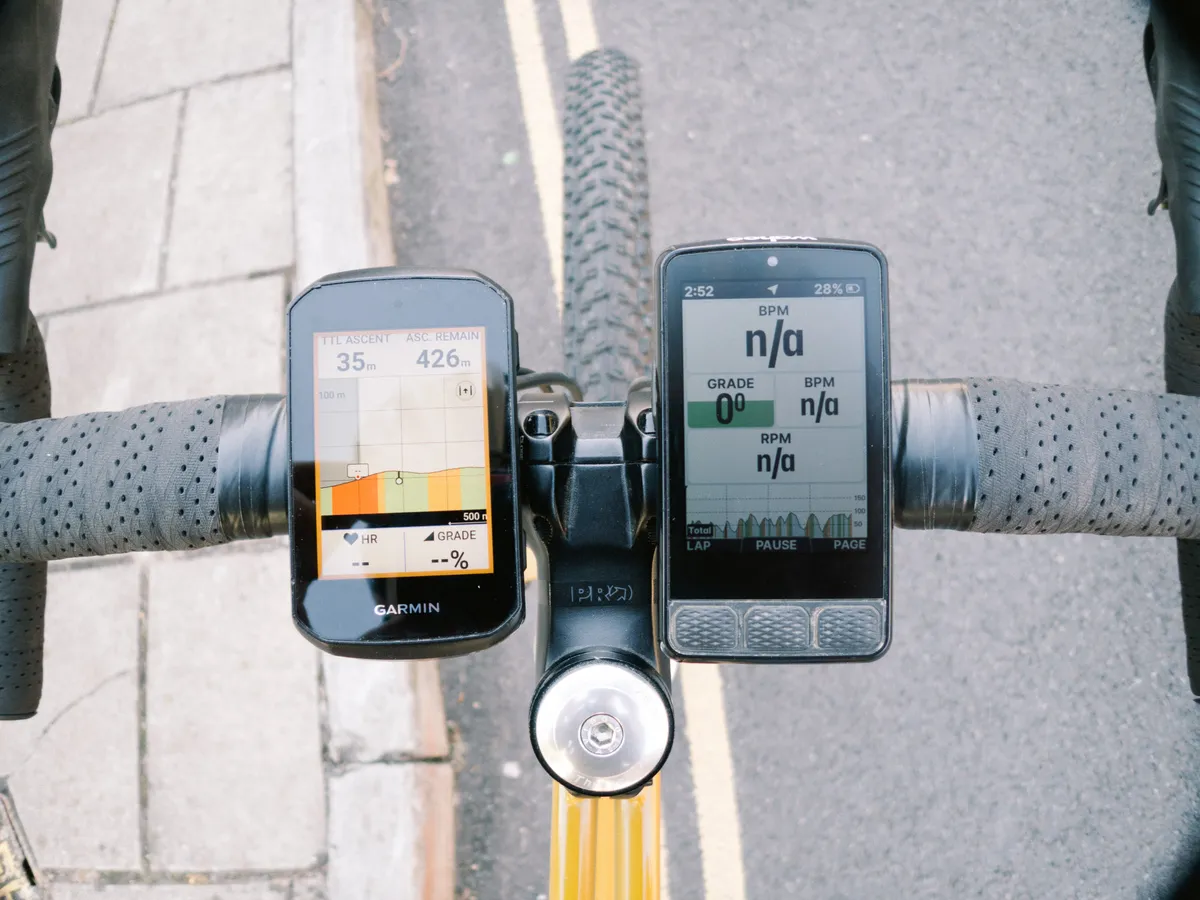


So far there’s a theme; in most respects both these bike computers are pretty hard to separate, but in general I’ve found the Wahoo a little easier and more enjoyable to use. I think the biggest gulf comes on the climbing screens though, either on dedicated elevation datascreens, or on the elevation profile at the base of the map page. In this regard the Wahoo is far superior.
At the base of the main map the elevation trace is more clear to see, and provides far more context as you can tap the trace itself using the touchscreen to cycle through several zoom-modes, from the next couple of kilometers all the way out to the total elevation for your whole route. It’s good enough, especially in combination with the coloured chevrons on the route trace also indicating where you’re actually climbing and where particularly steep patches were, that I never really felt I had to use a dedicated elevation datascreen for climbs.
On the Garmin I actually found the elevation profiles to be somewhat confusing. It was often unclear where on the elevation trace I actually was, and it quite often seemed to suggest I was on a descent when I was most definitely blowing my lungs out riding up a hill. There was no way to easily toggle the elevation trace either. Cumulatively I think this was my biggest frustration with the 850.
My only major frustration with the Wahoo is that the turn signals come up from below on screen and obscure the elevation trace and there’s no way to turn them off or move where the elevation trace sits on screen.
Both systems offer an automated climbing screen too. Garmin's is ClimbPro, and Wahoo's is Summit, and both can be configured to switch screens automatically when you get to the base of a climb to help you measure your effort. In all honesty I never found either overly useful compared to the standard elevation screen, and especially in the Wahoo's case with the Strava live segments being so good if I was going for a PR up a climb I'd use that to pace myself instead. The Wahoo's is still a bit more user-friendly, but my colleague, Tom, rates ClimbPro quite highly so it's horses for courses here I think. I don't think either system is enough to sway your purchase system one way or another.
Reliability
This can be put pretty simply: Almost always, the Garmin was absolutely fine. The Wahoo was easier to use, and I think better in many key aspects, but occasionally it was so annoying that I nearly launched it against a wall in frustration.
Wahoo has a very annoying habit of rolling out new features before they are ready, causing bugs, and then having to hastily roll out patches. In the initial phase following launch there were key features that simply didn’t work at all, and some that still don’t for me like Google Maps integration.
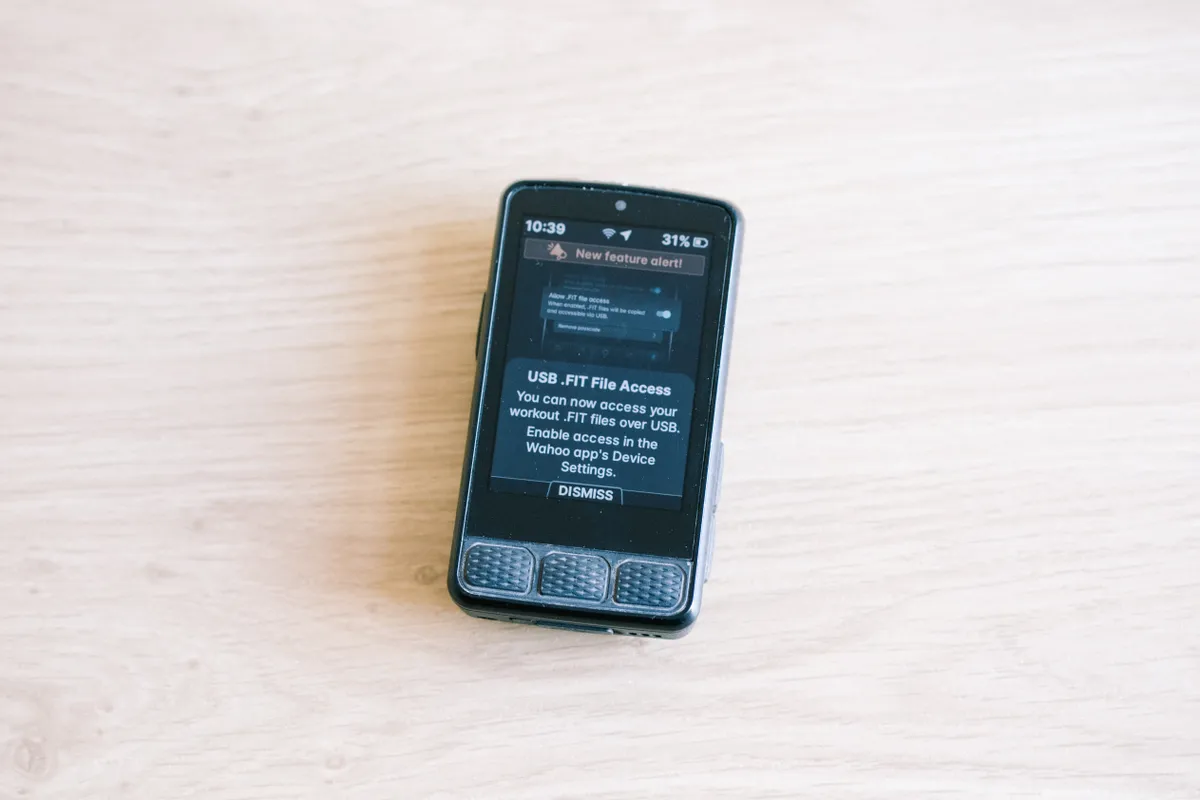
On a few rare occasions a ride wouldn’t sync for hours afterwards (though it always eventually did), and until very recently there was no way to pull .fit files directly off the device for manual upload... but Wahoo being Wahoo there has been a patch for this (naturally rolled out as a new feature, as opposed to a fix) so that does negate that downside rather nicely.
The Wahoo is easier to use, but if you need to rely on your computer (beyond being totally reliant on the validation from strangers via Strava kudos) then the Garmin is probably the better bet.
Battery life
On paper the Garmin has the Wahoo licked here, but once you’re getting battery life of over 24hrs claimed then there’s little to separate them in my opinion. If you’re bike touring then there’s an overwhelming likelihood that you’ll have a power bank with you, allowing you to charge either device while they are still in use (provided it isn’t raining).
If you are regularly embarking on rides of over 24hrs, but under 36hrs, and would rather leave the power bank at home, then opt for the Garmin, but I think these seasoned audax riders would likely pack a power bank or have dynamo charging just in case.
In the real world both devices are more than capable of seeing you through a 200km day out with ease without using dedicated low power modes, which will cover the vast majority of riding that almost everyone will be doing.
Value
The Garmin is more expensive, by £70 or $135, so what are you getting for that price discrepancy?
There’s a better battery life, incident detection, and the ability to pay for things using your bike computer, and I’d argue a better suite of back-app training and planning features that certainly do add value if you’re already baked in with a Garmin watch.
If you’re coming to each of these computers as an athlete dedicated to a strict training regimen, then I think the extra value comes in the Garmin training ecosystem. Both computers are capable of auto-uploading workouts to TrainingPeaks if you are more serious, but purely as pieces of hardware, I think incident detection is the only real feature that adds value.
The battery life on both is sufficient, and I’d never ride without my phone and my wallet anyway, so Garmin Pay was totally lost on me. If you’re an Apple Watch user then you will have fall detection from that system already, and while it is designed for vehicular incidents, some iPhone models feature crash detection, though its detection of cycling crashes probably limits its effectiveness to particularly severe cycling incidents.
Verdict
Don’t get me wrong, both of these bike computers are good options. I haven’t found a great deal of fault with the Garmin 850, but in general, I found the Wahoo to be slightly better, or at least easier to use, in most regards. The Garmin is more reliable, more customisable, and better for athletes who want to tune into every metric and plan effectively, especially if they already have a Garmin watch, but if you’re coming afresh and are solely riding bikes, then I think the Wahoo is the better, and cheaper option, as long as you can breathe through the occasional technological freak-out.

Will joined the Cyclingnews team as a reviews writer in 2022, having previously written for Cyclist, BikeRadar and Advntr. He’s tried his hand at most cycling disciplines, from the standard mix of road, gravel, and mountain bike, to the more unusual like bike polo and tracklocross. He’s made his own bike frames, covered tech news from the biggest races on the planet, and published countless premium galleries thanks to his excellent photographic eye. Also, given he doesn’t ever ride indoors he’s become a real expert on foul-weather riding gear. His collection of bikes is a real smorgasbord, with everything from vintage-style steel tourers through to superlight flat bar hill climb machines.
You must confirm your public display name before commenting
Please logout and then login again, you will then be prompted to enter your display name.
